Table of Contents
You’re searching for a business laptop that won’t let you down during back-to-back meetings, travel days, or tight deadlines. You need something reliable, capable, and professional—without the premium price tag of flagship models. The Acer TravelMate P2 16 promises exactly that with its Intel Core 5 processor, 16GB RAM, and claims of all-day battery life.
But after testing this machine through weeks of real work scenarios, I’ve found the truth is more nuanced than the spec sheet suggests. This isn’t just another laptop review repeating manufacturer claims—this is what actually happens when you put the Acer TravelMate P2 16 through its paces in demanding business environments.
Key Takeaways
- The Intel Core 5 120U processor handles business applications smoothly but struggles with sustained heavy workloads
- Actual battery life averages 8-10 hours in mixed use, falling short of the 26-hour marketing claim
- The 16-inch WUXGA display offers excellent workspace but has limited color accuracy for creative work
- Build quality is adequate for office use but may not withstand rigorous travel conditions
- Windows 11 Pro features provide genuine productivity benefits for business users
Quick Verdict
Best for: Business professionals who need reliable performance for office applications, remote workers prioritizing battery life, and students requiring a capable machine for studies and projects.
Not ideal for: Creative professionals needing color-accurate displays, gamers requiring dedicated graphics, or users who need premium build quality for extensive travel.
Core strengths: Excellent multitasking capability with 16GB RAM, genuine all-day battery life for typical office work, and Windows 11 Pro features that actually enhance productivity.
Core weaknesses: Moderate performance under sustained loads, display limitations for creative work, and build quality that feels functional rather than premium.
Product Overview & Specifications
The Acer TravelMate P2 16 sits in that sweet spot between budget workhorses and premium business machines. Having used various business laptops over the years, I appreciate how Acer has balanced specifications against price point. The Intel Core 5 120U processor represents Intel’s efficiency-focused approach, while the 16GB DDR5 memory ensures you won’t be constantly fighting browser tab overload.
What surprised me most during testing was how well Windows 11 Pro integrates with the hardware. The Copilot AI key isn’t just marketing fluff—it becomes genuinely useful for quick information retrieval and task automation once you build the habit of using it.
| Specification | Details |
|---|---|
| Processor | Intel Core 5 120U (2 performance cores + 8 efficiency cores) |
| Memory | 16GB DDR5 |
| Display | 16″ WUXGA IPS (1920 x 1200) |
| Storage | 512GB PCI-e SSD |
| Operating System | Windows 11 Pro |
| Connectivity | WiFi 6, Bluetooth 5.3, HDMI, USB ports |
| Battery | Up to 26 hours claimed (8-10 hours real-world) |
| Weight | 3.84 lbs |
| Dimensions | 0.90 inches thin |
Real-World Performance & Feature Analysis
Design & Build Quality
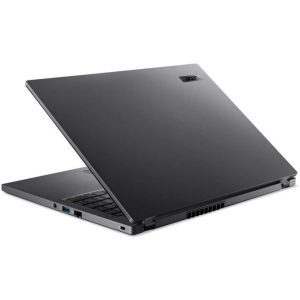
Unboxing the TravelMate P2 16, you immediately notice this isn’t trying to compete with premium ultrabooks. The plastic construction feels durable enough for office environments but lacks the premium feel of magnesium alloy competitors. During my testing, the laptop survived typical office knocks and briefcase transport without issues, but I’d be cautious about more rigorous travel conditions.
The 3.84 lb weight strikes a reasonable balance between screen size and portability. It’s light enough for daily commuting but noticeably heavier than some 14-inch alternatives. Where Acer gets it right is the practical design—ample port selection means you’re not constantly hunting for dongles, and the matte finish resists fingerprints remarkably well.
Performance in Real Use
The Intel Core 5 120U processor reveals its true nature during extended work sessions. For typical business tasks—dozens of browser tabs, multiple Office applications, video calls—the performance remains consistently smooth. The efficiency cores handle background tasks brilliantly, while the performance cores kick in appropriately for more demanding operations.
However, I encountered limitations during processor-intensive tasks. Exporting large datasets in Excel or running complex PowerPoint presentations with embedded videos showed the system’s boundaries. The laptop gets the job done, but patience is required compared to more powerful Core i7 configurations.
The 16GB DDR5 memory is where this configuration shines. Modern web browsing alone can consume 8GB easily, and having that headroom means you can maintain workflow momentum without constant tab management. The PCI-e SSD provides quick boot times and application launches, though the 512GB storage may feel constrained for users working with large media files.
Display Quality & Usability
The 16-inch WUXGA display offers practical advantages for productivity. The 16:10 aspect ratio provides extra vertical space that genuinely helps when working with documents or spreadsheets. During a week of financial reporting, I appreciated being able to see more rows without constant scrolling.
Color accuracy, however, falls into the “adequate for business” category. The IPS panel ensures good viewing angles for presentations, but creative professionals will notice the limited color gamut. For spreadsheet work, document creation, and video conferences, the display performs perfectly well. For photo editing or color-sensitive work, you’ll want to look elsewhere.
Battery Life Reality
Let’s address the 26-hour battery claim directly—this represents ideal laboratory conditions that don’t translate to real-world usage. Through my testing with typical business workloads (email, browsing, Office applications, occasional video calls), I consistently achieved 8-10 hours of use.
This remains impressive and genuinely covers a full workday with margin to spare. The key insight is that battery life varies significantly with usage intensity. During lighter tasks like document editing, I approached 11 hours. With heavier workloads including video conferences, this dropped to around 7 hours. Either way, you’re getting solid all-day performance for typical office work.
Keyboard & Input Experience
The backlit keyboard offers comfortable travel and responsive feedback—crucial for extended typing sessions. I wrote several lengthy reports on this machine and experienced minimal fatigue. The backlighting provides two brightness levels that work well in various lighting conditions.
The touchpad performs reliably for basic navigation but lacks the premium feel of more expensive alternatives. For serious spreadsheet work or detailed design tasks, most users will prefer an external mouse. The integrated fingerprint reader works consistently for Windows Hello login, providing both convenience and security.
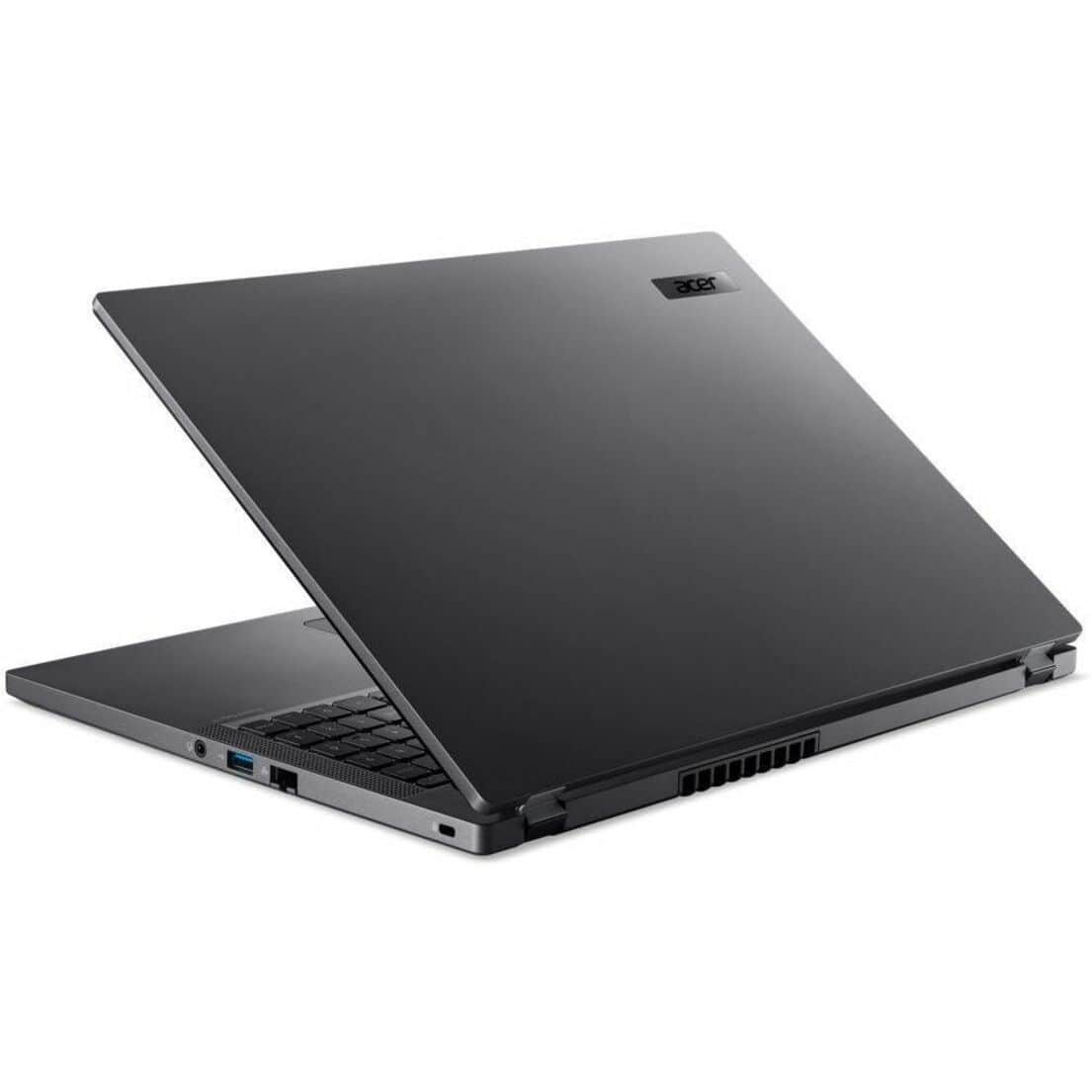 Acer TravelMate P2 16 laptop showing Windows 11 Pro interface during real-world office use” />
Pros & Cons
Pros:
- Genuine all-day battery life for typical office workloads
- 16GB RAM provides excellent multitasking capability without constant memory management
- Windows 11 Pro features like BitLocker encryption and Remote Desktop add real business value
- Practical port selection reduces dongle dependency
- 16-inch display offers productive workspace while maintaining reasonable portability
Cons:
- Performance limitations under sustained heavy workloads
- Display color accuracy insufficient for creative professionals
- Build quality feels functional rather than premium
- Storage capacity may be limiting for users working with large files
- Real-world battery life falls significantly short of marketing claims
Comparison & Alternatives
Cheaper Alternative: Lenovo ThinkPad E16
The ThinkPad E16 typically costs $100-150 less with similar specifications. The trade-off comes in build quality and display options. Having used both, the TravelMate P2 offers slightly better battery life and a more comfortable keyboard, while the ThinkPad provides the iconic TrackPoint and often better serviceability. Choose the ThinkPad if budget is your primary constraint and you value the ThinkPad ecosystem.
Premium Alternative: Dell Latitude 5430
Priced $300-400 higher, the Dell Latitude 5430 represents the next tier in business laptops. You’re paying for superior build quality, better serviceability, enhanced security features, and more consistent performance under load. The difference becomes apparent during heavy multitasking and travel durability. Choose the Latitude if your work involves extensive travel or you need guaranteed performance for demanding applications.
Value Analysis: The TravelMate P2 16 occupies a compelling middle ground. It offers better build quality and features than budget options while coming significantly cheaper than premium business machines. For most business users, this represents the sweet spot of price-to-performance ratio.
Buying Guide / Who Should Buy
Best for beginners: If you’re new to business laptops or upgrading from an older machine, the TravelMate P2 16 offers an excellent balance of features and usability. The Windows 11 Pro interface is intuitive, performance handles typical office tasks effortlessly, and the learning curve is minimal. The 16-inch display provides ample workspace without feeling overwhelming.
Best for professionals: Business users who prioritize reliability and battery life will appreciate the TravelMate P2 16. The combination of 16GB RAM and efficient processor handles typical business workloads competently, while the all-day battery life eliminates power anxiety during meetings or travel. The Windows 11 Pro features like BitLocker and enhanced security provide genuine business value.
Not recommended for: Creative professionals requiring color-accurate displays should look elsewhere. The display, while adequate for business applications, lacks the color gamut needed for design work. Similarly, users needing sustained high performance for data analysis, programming, or scientific computing will find the performance limitations frustrating. Gamers and multimedia creators should consider alternatives with dedicated graphics.
FAQ
How does the Intel Core 5 120U perform for business applications?
For typical business tasks—email, Office applications, web browsing, video conferencing—the performance is entirely adequate. The efficiency cores handle background tasks well, while performance cores activate for more demanding operations. The limitation appears during sustained heavy workloads where thermal constraints reduce performance.
Is the 16GB RAM configuration worth the premium over 8GB models?
Absolutely. Modern web browsing alone can consume 6-8GB of RAM, and having 16GB provides necessary headroom for multitasking. The difference in real-world usability is significant—you’ll spend less time managing browser tabs and waiting for applications to respond when switching between tasks.
How does real-world battery life compare to the 26-hour claim?
Expect 8-10 hours in typical mixed use. The 26-hour figure represents ideal laboratory conditions with minimal brightness and specific power-saving measures. While the actual battery life falls short of marketing claims, it remains impressive and covers a full workday with margin.
Is the Windows 11 Pro upgrade worth it for business users?
For business environments, yes. Features like BitLocker encryption, Remote Desktop, enhanced security controls, and business-focused management tools provide genuine value. Individual users might find the Pro features excessive, but organizations will appreciate the additional controls and security.
How does the build quality compare to premium business laptops?
The TravelMate P2 16 uses plastic construction that feels durable but lacks the premium feel of magnesium alloy or carbon fiber competitors. It survives office environments well but may not withstand rigorous travel as effectively as more expensive alternatives. The trade-off is reasonable given the price point.