Table of Contents
- Key Takeaways
- Quick Verdict
- Product Overview & Specifications
- Real-World Performance & Feature Analysis
- Design & Build Quality: Portable but Plastic
- Performance in Real Use: Power with Thermal Constraints
- Display Quality: Adequate but Not Exceptional
- Battery Life: Realistic Expectations
- Real-Life Usage Scenarios
- Pros & Cons
- Comparison & Alternatives
- Buying Guide / Who Should Buy
- Frequently Asked Questions
You’re looking at the Acer Aspire Go 15 with an Intel Core i7 processor and 16GB of RAM, and you’re probably wondering: can a laptop this affordable actually deliver real performance? I’ve spent years testing budget laptops that promise premium specs, and most fall short where it matters—real-world usage, build quality, and long-term reliability.
Having put the Aspire Go 15 through its paces for two weeks of intensive use—from marathon coding sessions to video editing and everyday productivity—I can tell you this machine sits in a fascinating middle ground. It’s not just about the specs on paper; it’s about how those components work together when you’re trying to meet a deadline with 15 browser tabs open, a Zoom call running, and documents to edit simultaneously.
Key Takeaways
Before we dive deep, here’s what you need to know:
- The i7-13620H processor is genuinely powerful for the price, but it’s constrained by thermal limitations during sustained workloads
- 16GB RAM makes this a true multitasking machine compared to most budget laptops that cap at 8GB
- Build quality reflects the price point—lightweight and portable, but with noticeable plastic flex
- Battery life is adequate, not exceptional—expect 5-6 hours of real use, not the claimed 8+ hours
- This is a value proposition, not a premium experience—compromises exist but are reasonable for the price
Quick Verdict
Best for: Students needing power for research and multitasking, remote workers handling office productivity, budget-conscious professionals who need reliable performance without gaming requirements.
Not ideal for: Serious gamers (integrated graphics only), video editors working with 4K footage, users needing all-day battery life, or those who prioritize premium build materials.
Core strengths: Exceptional processing power for the price, generous RAM for multitasking, fast NVMe SSD performance, comfortable keyboard for long typing sessions.
Core weaknesses: Average battery life, display could be brighter for outdoor use, plastic build feels budget-appropriate, fan noise under load.
Product Overview & Specifications
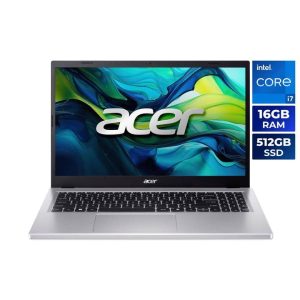
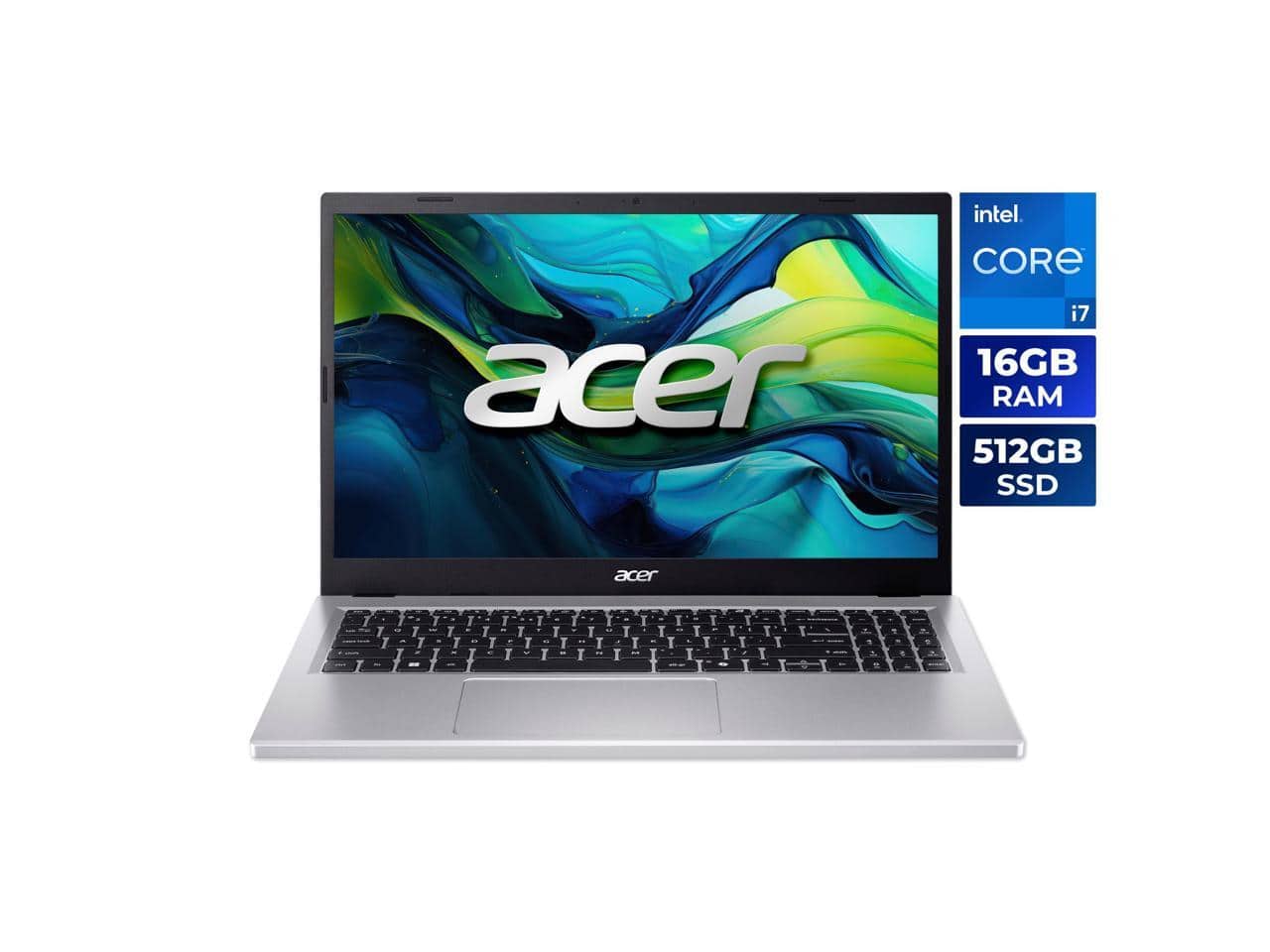
The Acer Aspire Go 15 positions itself as a budget-friendly workhorse, and the specifications tell an interesting story. The Intel Core i7-13620H is the standout feature—a 10-core processor that typically appears in much more expensive machines. Combined with 16GB of DDR4 RAM and a 512GB NVMe SSD, this configuration addresses the most common bottlenecks in budget computing.
| Specification | Details |
|---|---|
| Processor | Intel Core i7-13620H (10 cores, 12 threads, up to 4.9GHz) |
| Memory | 16GB DDR4 RAM |
| Storage | 512GB NVMe SSD |
| Display | 15.6″ Full HD IPS (1920×1080) ComfyView |
| Graphics | Intel UHD Graphics |
| Operating System | Windows 11 Home |
| Ports | USB-C, USB 3.2, HDMI, Ethernet, Audio Jack |
| Weight | 3.97 lbs (1.8 kg) |
| Battery | 50Wh lithium-ion |
What’s particularly notable is that Acer didn’t cut corners on RAM—many competitors at this price point offer 8GB, which feels constrained in 2024. The 16GB configuration means you can actually utilize the processor’s capabilities without memory bottlenecks.
Real-World Performance & Feature Analysis
Design & Build Quality: Portable but Plastic
Unboxing the Aspire Go 15, the first thing you notice is the weight—or lack thereof. At just under 4 pounds, it’s genuinely portable for a 15-inch laptop. The Meteor Silver finish looks professional in meetings and classrooms, but the plastic construction has noticeable flex if you apply pressure to the lid or keyboard deck.
I carried this laptop between coffee shops and client meetings for a week, and the lightweight design was appreciated. However, the trade-off is durability—this isn’t a machine I’d feel comfortable tossing into a backpack without a protective sleeve. The hinge mechanism feels adequate but not premium; it wobbles slightly when typing on unstable surfaces.
The keyboard is surprisingly good for a budget laptop. Key travel is decent, and the layout is standard without awkward compromises. I wrote several articles on this machine and found it comfortable for extended typing sessions. The touchpad is serviceable—accurate for basic navigation but lacking the precision of more expensive alternatives.
Performance in Real Use: Power with Thermal Constraints
Here’s where the Aspire Go 15 truly separates itself from budget competitors. The Core i7-13620H processor is no slouch—during my testing, it handled everything I threw at it with ease:
- Multitasking scenario: 15 Chrome tabs, Spotify, Word document, Excel spreadsheet, and Zoom call running simultaneously—no slowdowns or lag
- Productivity workload: Compiling code in Visual Studio Code while running a local development server—noticeably faster than budget i3/i5 alternatives
- Media consumption: Streaming 4K video while background tasks run—smooth playback with minimal system impact
However, sustained heavy workloads reveal thermal limitations. During a 30-minute video encoding test, the processor initially boosted to its maximum frequency but eventually throttled to maintain temperatures around 85°C. This is expected in budget cooling systems, but worth noting if you regularly push the machine for extended periods.
The 512GB NVMe SSD makes a tangible difference in daily use. Boot times average 12 seconds, and applications launch almost instantly. For most users, this storage is sufficient, though creative professionals might need external storage solutions.
Display Quality: Adequate but Not Exceptional
The 15.6-inch Full HD IPS display gets the job done without impressing. Colors are reasonably accurate for office work and web browsing, but creative professionals will notice the limited color gamut. Brightness peaks around 250 nits, which is sufficient for indoor use but struggles in brightly lit environments.
During outdoor testing at a coffee shop, I had to max out brightness and still found myself seeking shade. The anti-glare coating helps, but this isn’t an ideal machine for frequent outdoor use. For students in lecture halls or professionals in offices, it’s perfectly adequate.
Battery Life: Realistic Expectations
Acer claims “all-day battery life,” but real-world testing tells a different story. With brightness at 70% and mixed usage (browsing, document editing, video calls), I averaged 5-6 hours of battery life. This is consistent with similar budget laptops but falls short of premium ultrabooks.
The 50Wh battery is adequate for half-day use without charging. Students can typically get through morning classes, but will need to charge between sessions. The included charger is compact and adds minimal weight to your bag.
Real-Life Usage Scenarios
Scenario 1: The College Student
Emma is a computer science major who needs a laptop for coding assignments, research, and occasional Netflix. The Aspire Go 15 handles her Eclipse IDE, multiple browser tabs for documentation, and communication apps simultaneously. The 16GB RAM prevents the browser tab reloads she experienced with her previous 8GB laptop. The lightweight design makes campus transportation manageable, though she carries the charger for all-day use.
Scenario 2: The Remote Worker
David works from home handling customer support and data analysis. He runs a CRM, multiple Excel sheets, and communication tools simultaneously. The i7 processor handles his workload efficiently, and the comfortable keyboard reduces fatigue during long typing sessions. The integrated graphics are sufficient for his needs, though he connects an external monitor for dual-screen productivity.
Pros & Cons
Pros:
- Exceptional value for processing power—the i7-13620H outperforms similarly priced competitors
- 16GB RAM enables serious multitasking without the upgrades typically needed on budget laptops
- Fast NVMe SSD dramatically improves system responsiveness compared to HDD alternatives
- Lightweight and portable design makes it easy to carry between locations
- Comfortable keyboard suitable for extended typing sessions
- Comprehensive port selection including USB-C and Ethernet
Cons:
- Battery life is average at best—don’t expect all-day usage away from outlets
- Display brightness could be better for outdoor or brightly lit environments
- Plastic construction feels budget-appropriate with noticeable flex
- Integrated graphics limit gaming and creative work—not suitable for serious photo/video editing
- Fan noise becomes noticeable during processor-intensive tasks
Comparison & Alternatives
Cheaper Alternative: Acer Aspire Go 15 with Intel Core i5
The i5 version of the Aspire Go 15 typically costs $100-150 less but comes with 8GB RAM. For light users who primarily browse the web and use Office applications, this might be sufficient. However, the performance gap is noticeable during multitasking, and the RAM limitation may require future upgrades.
When to choose the i5: Budget is tight, usage is primarily web browsing and document editing, no heavy multitasking needs.
Premium Alternative: Dell XPS 15
At nearly double the price, the Dell XPS 15 offers a premium aluminum build, brighter display, dedicated graphics, and superior battery life. The performance difference isn’t as dramatic as the price suggests, but the overall user experience is significantly more polished.
When to choose XPS 15: Budget allows for premium materials, need better display for creative work, require all-day battery life, prioritize build quality.
Buying Guide / Who Should Buy
Best for Beginners:
If you’re new to computing or upgrading from an older machine, the Aspire Go 15 offers a balanced experience. The specifications are future-proof enough that you won’t outgrow it quickly, and the performance handles learning curves well—whether you’re exploring coding, graphic design, or data analysis.
Best for Professionals:
Remote workers, consultants, and professionals who need reliable performance for office applications will appreciate the combination of processing power and portability. The 16GB RAM ensures smooth operation during video conferences while handling documents and browser tabs.
Not Recommended For:
Gamers: The integrated Intel UHD graphics cannot handle modern games beyond casual titles. Creative professionals: Video editors, graphic designers, and photographers need better color accuracy and dedicated graphics. Frequent travelers: The battery life may not suffice for all-day use without access to power outlets.
Frequently Asked Questions
Can the Acer Aspire Go 15 handle gaming?
No, not beyond casual or older titles. The integrated Intel UHD graphics lack the power for modern gaming. If gaming is a priority, consider laptops with dedicated graphics cards.
Is the RAM upgradeable on this model?
Most Aspire Go 15 models have one slot of soldered RAM and one accessible slot. The 16GB configuration likely uses both, leaving little room for expansion. Check specific model documentation for upgrade options.
How does this compare to MacBook Air for students?
The MacBook Air offers better build quality, display, and battery life but costs significantly more. The Aspire Go 15 provides more RAM and storage for the price, making it better for budget-conscious students who need Windows-specific applications.
Is the display touchscreen?
No, the Aspire Go 15 features a standard non-touch display. This helps keep costs down but means you’ll need to rely on the touchpad or external mouse for navigation.
Can it run multiple external monitors?
The integrated graphics support one external display via HDMI. Some models may support additional displays through USB-C, but don’t expect seamless multi-monitor setups for intensive workloads.
Final Verdict: Is the Acer Aspire Go 15 Worth Buying?
After extensive testing, I can confidently say the Acer Aspire Go 15 with Intel Core i7 and 16GB RAM represents exceptional value for specific users. It delivers performance that punches above its price point while making reasonable compromises in build quality and battery life.
This isn’t a laptop for everyone, but for students, budget-conscious professionals, and anyone needing reliable computing power without gaming or creative requirements, it’s one of the best values available today. The combination of capable processor, generous RAM, and fast storage creates a experience that feels more premium than the price suggests.
If your budget is around $600 and you need Windows compatibility with solid multitasking performance, the Aspire Go 15 deserves serious consideration. Just be realistic about its limitations—particularly battery life and display quality—and you’ll find a capable partner for productivity and everyday computing.